Your tech sees what the user saw, so they don’t have to start by reproducing the problem.
Each ticket arrives with screenshots of the user’s screen and a replay of their last 20 actions, so your tech starts from what happened instead of a guess.
The free plan covers up to 25 endpoints for as long as you need it, and you won’t need a credit card.
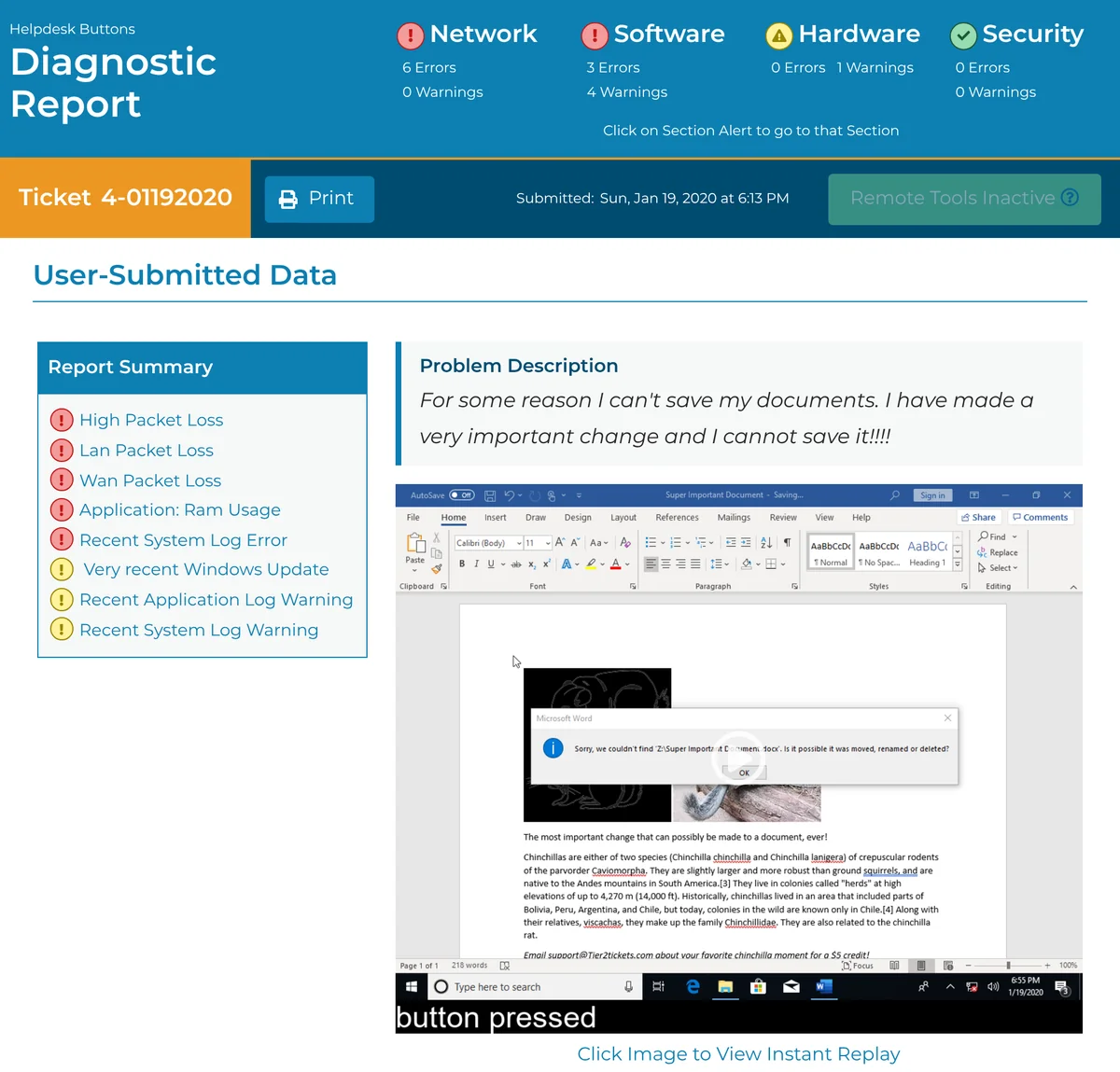
Here’s what your tech sees instead of a guess.
These are the tickets where seeing the user’s screen helps the most.
The error flashed once and vanished.
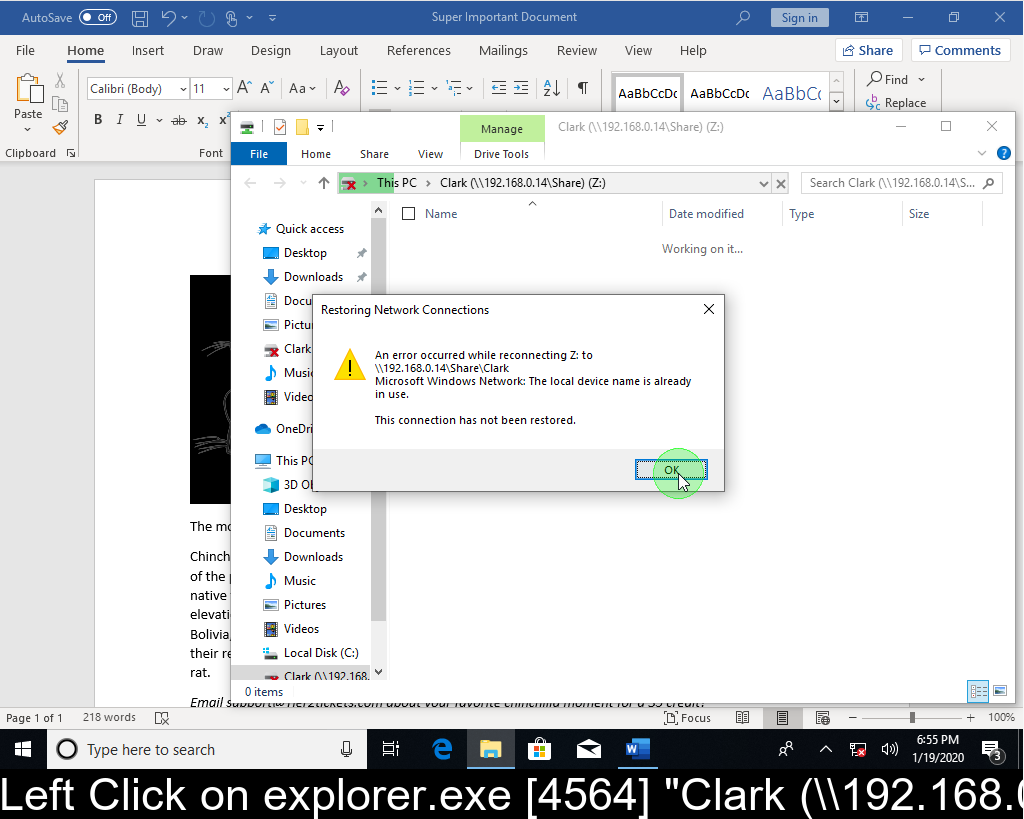
The user clicked past an error and can’t remember what it said. The replay keeps a screenshot from each of the user’s last 20 key actions, such as a click or pressing Enter, so the moment they clicked it away can still be in the ticket, where your tech can read the exact message.

The user says it just stopped working.
The replay shows the steps the user took before asking for help, with a caption under each one. In this ticket, your tech can see that Windows couldn’t reconnect the user’s Z: drive because the device name was already in use, which is a long way from “it just stopped working.”
The user can’t describe the pop-up.
The user clicked OK on a message and can’t tell you what it said. The replay can still hold a screenshot of that click, so your tech reads the message word for word instead of asking the user to remember it. Here, Word couldn’t find a document on the Z: drive.

The problem only happens on one machine.
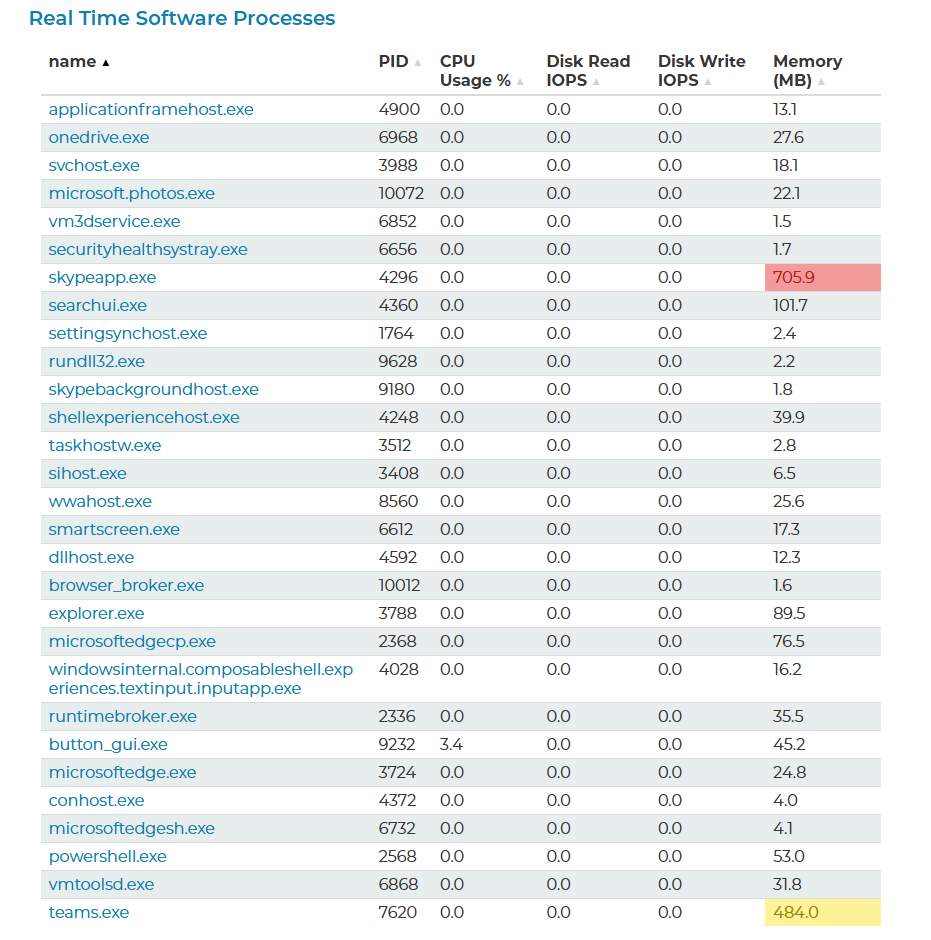
The ticket lists the programs that were running on that computer when the user asked for help, with the memory each one was using. Readings that are out of the norm are flagged, so your tech can see which programs were using the most memory on that one machine before connecting to it.
Screenshots and the replay stay on the computer until the user sends the ticket.
The replay is held in memory and never saved to disk, and nothing is sent until the user submits the ticket. You can also turn screenshots off if a client needs that.
“We didn’t waste any time connecting to her computer just to have her reproduce the issue so we could see the error.”
Jason Ruediger, ITConnect360
You can also read about how Tier2Tickets gives you better tickets and how every ticket is complete from the user’s first message.
See the replay on a real ticket.
We’ll give you a 10–15 minute Zoom demo of a real ticket from start to finish, and we’ll answer your questions. You can also start on the free plan today.