When enabled, submitted tickets are processed by our AI, which analyzes each request to understand context and sentiment. Based on this analysis, the system can automate workflows such as ticket triage or proactively provide users with recommended solutions—potentially resolving issues before the ticket is formally submitted.


 

Dispatcher Rules ( Automatically Triage Tickets )

Dispatcher rule functionality may vary depending on the PSA platform in use. Once configured, these rules enable automated updates to key ticket fields, improving consistency and operational efficiency.

The following fields can be automatically managed:

  • Priority (Ticket Priority Level): e.g., Urgent, Low
  • Impact / Urgency: e.g., Medium / High
  • Ticket State: e.g., New, In Progress
  • Team: Assign tickets to a specific queue or group
  • Type: e.g., Service Request, Incident, Problem, Alert
  • Owner: Assign tickets to a specific agent
  • Source (Ticket Source): e.g., Tier2Tickets, Web Portal
  • Board: Route tickets to a designated board
  • Internal Notes (priv_append): Append information to internal ticket notes


Example Use Cases

  • Automatically identify and flag communications from executive leadership or high-value customers as VIP, ensuring they receive prioritized attention.
  • Escalate ticket priority to Urgent when the reported issue indicates a widespread impact, such as affecting an entire facility or multiple users.
  • Route specific issue types (e.g., printer-related requests) to designated teams or support agents based on predefined assignment rules.

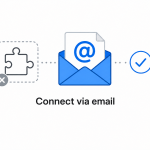
Connect Tier 2 Tickets with your PSA, or use our email connector when a direct integration is not available.